Your legal AI, now inside Microsoft Word
· Benvolio Team

For many legal professionals, Microsoft Word is where the work actually happens. Contracts are drafted there, legal opinions take shape there, documents are reviewed, revised, compared, and prepared for clients there. But using AI often means interrupting that workflow by leaving the document, moving information into another platform, explaining the context again, generating an answer, then bringing the result back into Word.
The Benvolio Word Add-In is designed to remove that friction.
It brings Benvolio directly into Microsoft Word, giving legal professionals access to AI powered legal intelligence while they work on their documents. No unnecessary switching between tools. No need to separate the document from the task surrounding it. Just your document, your context and Benvolio, working side by side.
Bring Benvolio into the document you are already working on
Our Word Add-In connects your Microsoft Word workspace with Benvolio.
Once installed and connected to your account, Benvolio becomes available directly alongside your document. You can select content, work with the entire document, ask questions, provide instructions, or bring additional context into the conversation without leaving Word.
The principle is simple: AI should adapt to the way legal professionals work, not require legal professionals to adapt their work around AI.
Instead of treating AI as a separate destination, the Word Add-In makes it part of the drafting and document review process itself.
From editing a paragraph to understanding an entire document
Legal document work rarely consists of a single task.
One moment you may need to refine a clause. The next, you may need to review a longer section, anonymise sensitive information, extract specific details or transform content for another purpose.
The Benvolio Word Add-In brings these actions into the same workspace.
Beyond working with the document itself, you can also bring in supporting files, choose the sources Benvolio can use, continue from previous conversations and send the document directly to Briefcase.
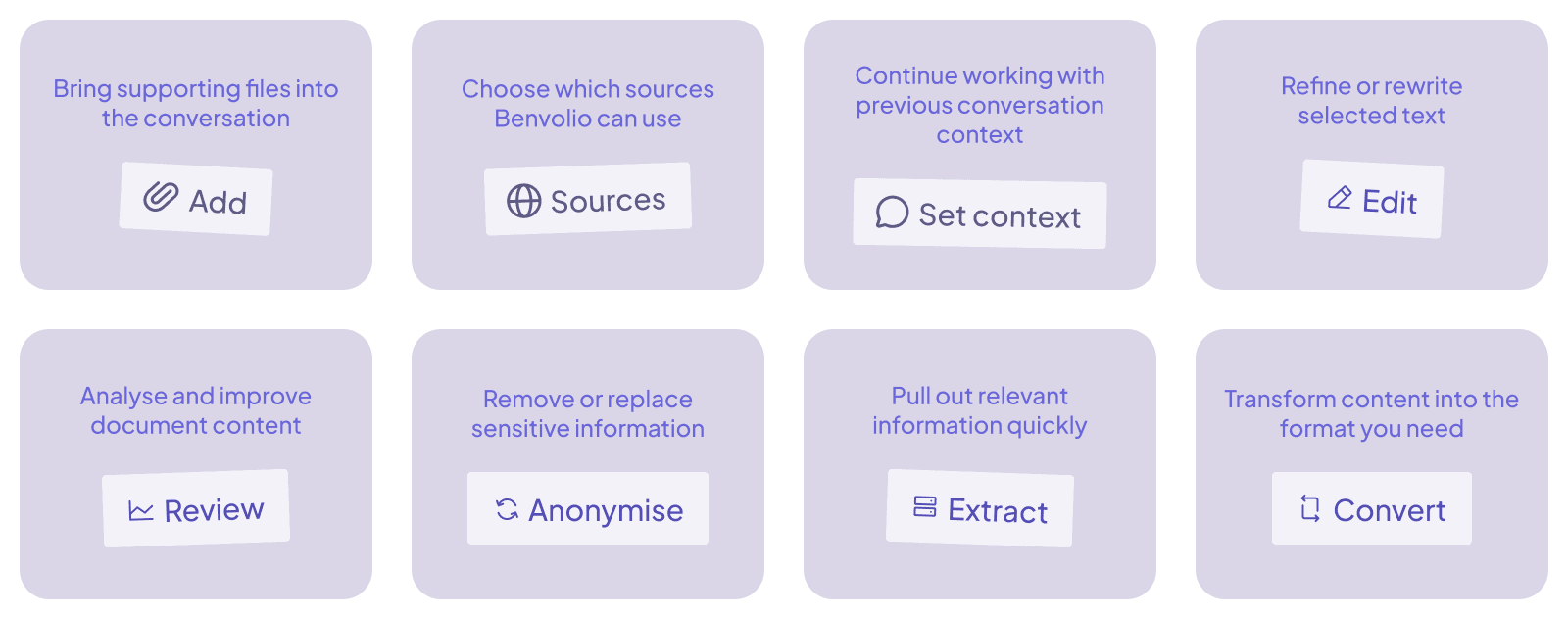
By keeping the document, the supporting context and the tools you need close together, the Add-In helps create a more continuous workflow from the first draft to the next step in the matter.
Stay in control of how AI supports your work
Working with AI on legal documents should not mean handing over the process.
With the Benvolio Word Add-In, you decide what you want to work on, what instructions to give and how the output should be used in the document.
AI becomes part of the workflow, while the legal professional remains responsible for reviewing, refining and deciding what ultimately belongs in the final version.
This is particularly important in legal work, where wording, context and professional judgement matter. Benvolio is there to support the process, not replace the decisions behind it.
The result is a more collaborative way of working with AI: one that combines the speed and capabilities of technology with the expertise and judgement of the professional using it.
See the Benvolio Word Add-In in action
The easiest way to understand the Add-In is to see how it fits into an actual Word workflow.
In the walkthrough below, we show you how to get started with the Benvolio Word Add-In and how to use its main functionalities directly from Microsoft Word.
See the video here.
From working with selected text to adding documents, choosing sources, setting context and sending files to Briefcase, the walkthrough takes you through the experience step by step.
Start where you already work
Legal AI should not create another layer of complexity. It should make existing work easier to navigate, analyse and complete.
The Benvolio Word Add-In brings AI-powered legal intelligence into one of the environments legal professionals use most, connecting the document in front of you with the broader capabilities of Benvolio.
Stay in your document. Keep the context. Bring Benvolio into the work.
Ready to see how Benvolio can fit into your legal practice?
Discover the Benvolio Word Add-In .